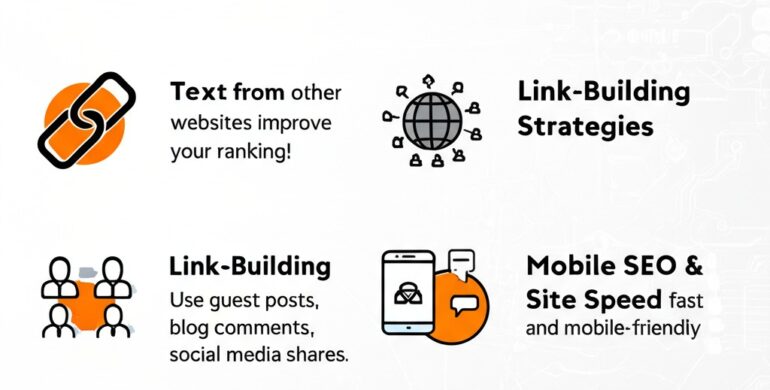
As you dive deeper into SEO, you’ll hear terms like backlinks, site speed, robots.txt, and more. They might sound technical, but don’t worry — I’ll explain everything in simple language. Let’s go! 👇
🔗 1. What Are Backlinks and How to Get Them
Imagine your website is a student, and every other website is a teacher. When a website links to your website, it’s like that teacher giving you a vote of confidence. That’s a backlink!
🧠 What are Backlinks?
Backlinks (also called inbound links) are links from one website to another. If a popular website links to your blog or page, it tells Google,
“Hey! This page is useful.” 🗣️
The more high-quality backlinks you have, the more trustworthy and authoritative your site looks in Google’s eyes 👁️🗨️ — leading to better rankings.
✅ How to Get Backlinks:
- Write helpful content that others naturally want to share
- Reach out to other bloggers to mention your article
- Offer unique insights, infographics, or data that others will reference
- Submit your website to business directories and forums
🔍 Pro Tip: One backlink from a trusted site like NDTV or Forbes is worth more than 10 from random blogs. Quality > Quantity.
🧩 2. Link-Building Strategies (Guest Posts, Blog Comments, Social Media)
Now that you know backlinks are valuable, let’s explore how to build them.
📮 Guest Posts
This means writing an article for someone else’s website — and in return, they include a link to your site.
✅ It builds backlinks
✅ Increases visibility
✅ Builds authority in your niche
Example: You write a blog titled “Top SEO Trends” for a tech site and include a link to your own blog inside it.
💬 Blog Comments
You can also leave meaningful comments on others’ blogs and include your website.
But remember:
🚫 Don’t spam
✅ Write relevant and valuable comments
Example: On a blog about digital marketing, you comment:
“Great article! I also shared a case study on mobile SEO recently — [your link].”
📱 Social Media
When you share your blogs on LinkedIn, Twitter, Facebook, etc., others may read and link back to your content.
✅ Boosts traffic
✅ Encourages sharing
✅ Builds reputation
Pro Tip: Share your blogs in Facebook groups, Quora answers, Reddit threads, or digital marketing forums.
🎯 Goal: The more eyes you get on your content, the more likely someone will link back to it!
📱 3. Mobile SEO and Site Speed
More than 60% of searches now happen on mobile devices 📱. That’s why Mobile SEO and site speed are essential!
📲 What is Mobile SEO?
Mobile SEO means making sure your website looks good and works well on smartphones and tablets.
Checklist for Mobile SEO:
- Use responsive design (your site adjusts to screen size)
- Keep text readable — no zooming needed 🔍
- Use large buttons — easy to tap 👍
- Avoid pop-ups that block the screen 🚫
📈 Google uses mobile-first indexing, which means it looks at the mobile version of your website first when ranking it.
🚀 Site Speed
A slow site frustrates users and makes them leave (called “bounce”). Google doesn’t like that.
How to improve speed:
- Compress images 🖼️
- Use fast hosting 🧠
- Minimize plugins and code
- Use caching tools like WP Super Cache (for WordPress)
⚡ Faster site = Better user experience + Better SEO!
🗺️ 4. Basics of Sitemaps, Robots.txt, and Crawl Errors
Let’s talk about how Google understands your website behind the scenes 👨💻
📌 What is a Sitemap?
A sitemap is like a map of your website. It tells Google which pages exist, so they can be indexed.
There are two types:
- HTML sitemap (for humans)
- XML sitemap (for search engines)
You can create it using tools like Yoast SEO or XML Sitemap Generator, then submit it to Google Search Console.
🤖 What is robots.txt?
This is a tiny text file that tells search engines:
- What they can visit (crawl)
- What they should ignore
Example: You might block your admin panel or duplicate content from being indexed.
robots.txt sample:
makefile
CopyEdit
User-agent: *
Disallow: /admin/
Allow: /
🧠 Think of it like a security guard at the entrance saying “Google, you can go here, but not there.”
❌ What Are Crawl Errors?
When Google tries to visit a page but fails, that’s a crawl error.
Common causes:
- Broken links (404 errors)
- Server issues
- Blocked pages in robots.txt
You can find and fix crawl errors in Google Search Console. Always check:
- Coverage reports
- URL inspection
- Fix redirect loops or deleted pages
✅ Fixing crawl errors = Better visibility = Higher trust from search engines
🏁 Final Thoughts
Let’s quickly recap the SEO knowledge bombs you just learned 💥:
🔗 Backlinks = Votes of trust from other websites
🧩 Link building = Strategies to earn those votes
📱 Mobile SEO = Making your site look and work well on phones
⚡ Site speed = Making your site fast and smooth
🗺️ Sitemaps = A guide for Google to find your pages
🤖 robots.txt = Instructions for what search engines can access
❌ Crawl errors = Problems that stop Google from reading your site
🌟 Pro Tip:
SEO is a mix of creativity + strategy + technical knowledge. The more you learn and apply, the better your results!
If you’d like, I can also turn this into a mobile-optimized blog post layout for your website or help you create a visual SEO guide for Instagram or LinkedIn 📱📈
Let me know if you want the next topic explained too! 💬